CC2652-Based Coordinators
TubesZB CC2652 coordinators use the TI ZNP stack and expose the Zigbee radio over TCP (Ethernet/PoE) or USB. These models work with both ZHA and Zigbee2MQTT.
Start here
If you are setting up your coordinator for the first time, begin with the Getting Started guide for Zigbee coordinators.
Models
| Model | Connection | Radio | ESPHome Builder manifest |
|---|---|---|---|
| CC2652 PoE 2022 | Ethernet (PoE) | CC2652P2 | tubeszb-cc2652p2-poe-2022.yaml |
| CC2652 PoE 2023 | Ethernet (PoE) | CC2652P2 | tubeszb-cc2652p2-poe-2023.yaml |
| CC2652 P7 PoE 2023 | Ethernet (PoE) | CC1352P7 | tubeszb-cc2652p7-poe-2023.yaml |
| CC2652 Ethernet/USB 2022/2023 | Ethernet or USB | CC2652P2 | tubeszb-cc2652p2-ethusb-2022.yaml and tubeszb-cc2652p2-ethusb-2023.yaml |
ESPHome configs moved
ESPHome YAMLs in this repo are kept for historical reference and are not expected to compile with current ESPHome versions. Use the ESPHome Builder manifests above for active builds.
Model Highlights
CC2652 PoE 2022
Photo: front view

- PoE powered Ethernet coordinator
- CC2652P2 radio (ZNP)
- TCP port
6638
CC2652 PoE 2023
Photo: front view
- PoE powered Ethernet coordinator
- CC2652P2 radio (ZNP)
- TCP port
6638
CC2652 P7 PoE 2023
Photo: front view
- PoE powered Ethernet coordinator
- CC1352P7 radio (ZNP)
- TCP port
6638
CC2652 Ethernet/USB 2022/2023
Photo: closed view

- Works over Ethernet or USB
- CC2652P2 radio (ZNP)
- TCP port
6638when in Ethernet mode
Power and Safety
PoE models require a PoE switch or injector and at least 37V DC. USB-only models use standard 5V power.
Do not mix power sources
Do not connect PoE and USB power at the same time. Doing so can permanently damage the board or your computer.
ZHA and Zigbee2MQTT Setup
ZHA setup uses the ZNP radio type and connects over TCP or USB.
ZHA over Ethernet:
socket://IP_ADDRESS:6638
ZHA over USB:
Use the /dev/serial/by-id/... path shown in Home Assistant Hardware.
Zigbee2MQTT over Ethernet:
serial:
  port: 'tcp://IP_ADDRESS:6638'
  adapter: zstack
Zigbee2MQTT over USB:
serial:
  port: '/dev/serial/by-id/usb-1a86_TubesZB_XXXXXXXX-if00-port0'
  adapter: zstack
Firmware Updates
ESP32 firmware updates now use the TubesZB ESPHome Builder and the device web UI or the ESPHome Web Flasher. The standalone ESPHome Flasher app is no longer maintained.
See Coordinator Firmware Updates for the current workflow.
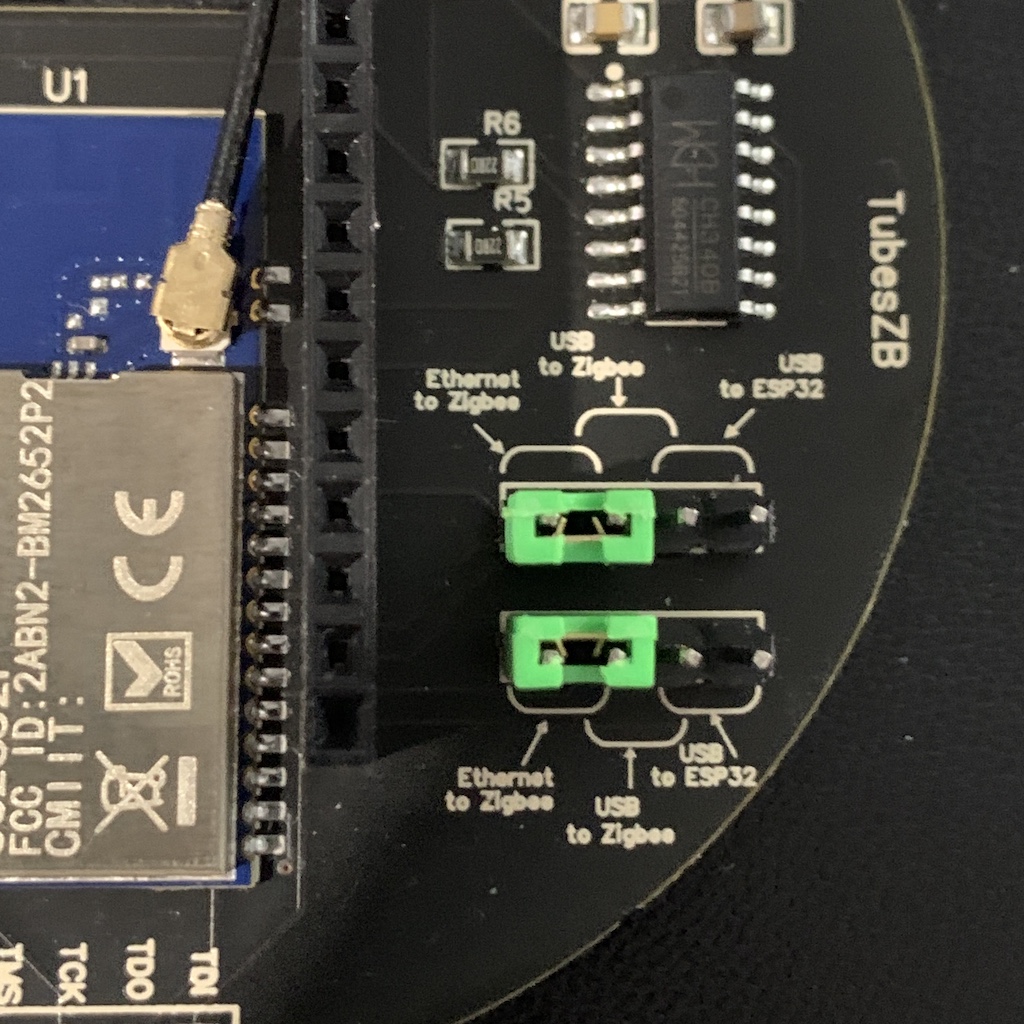
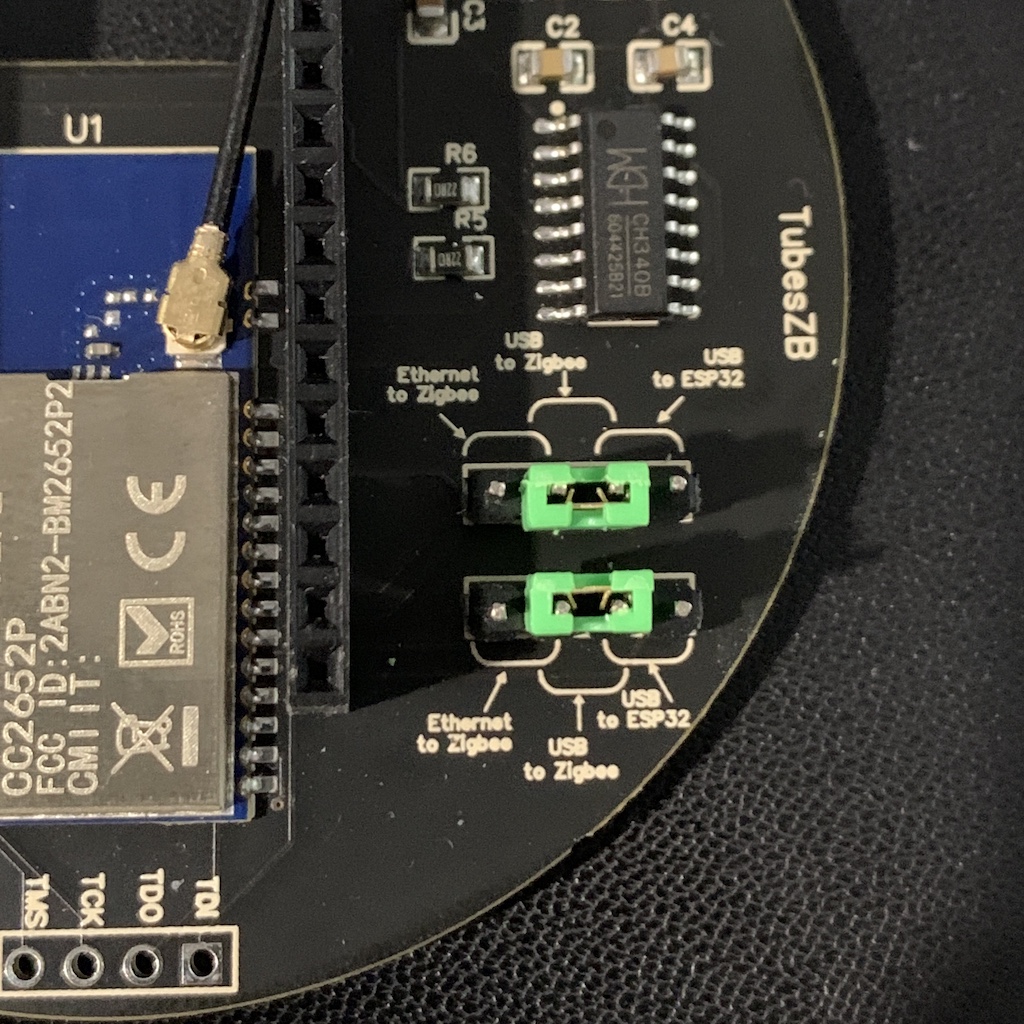
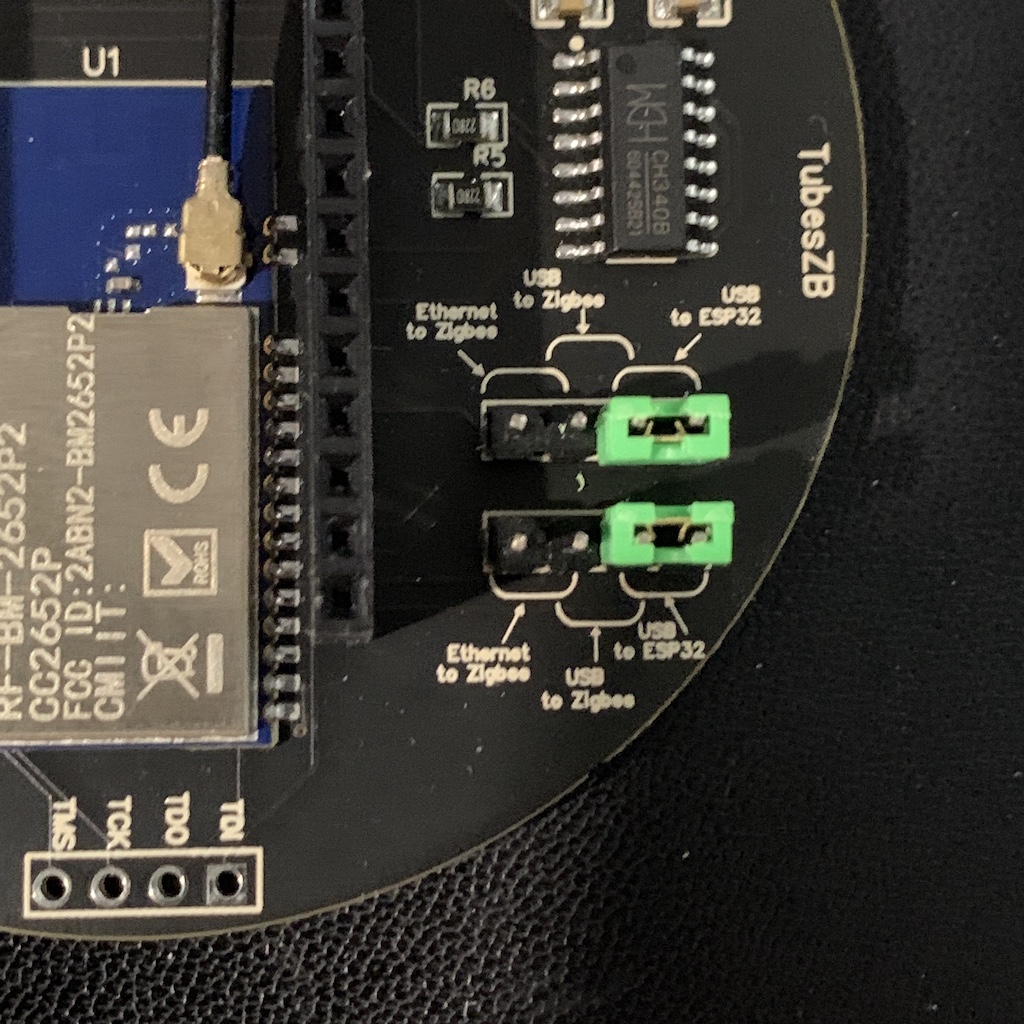
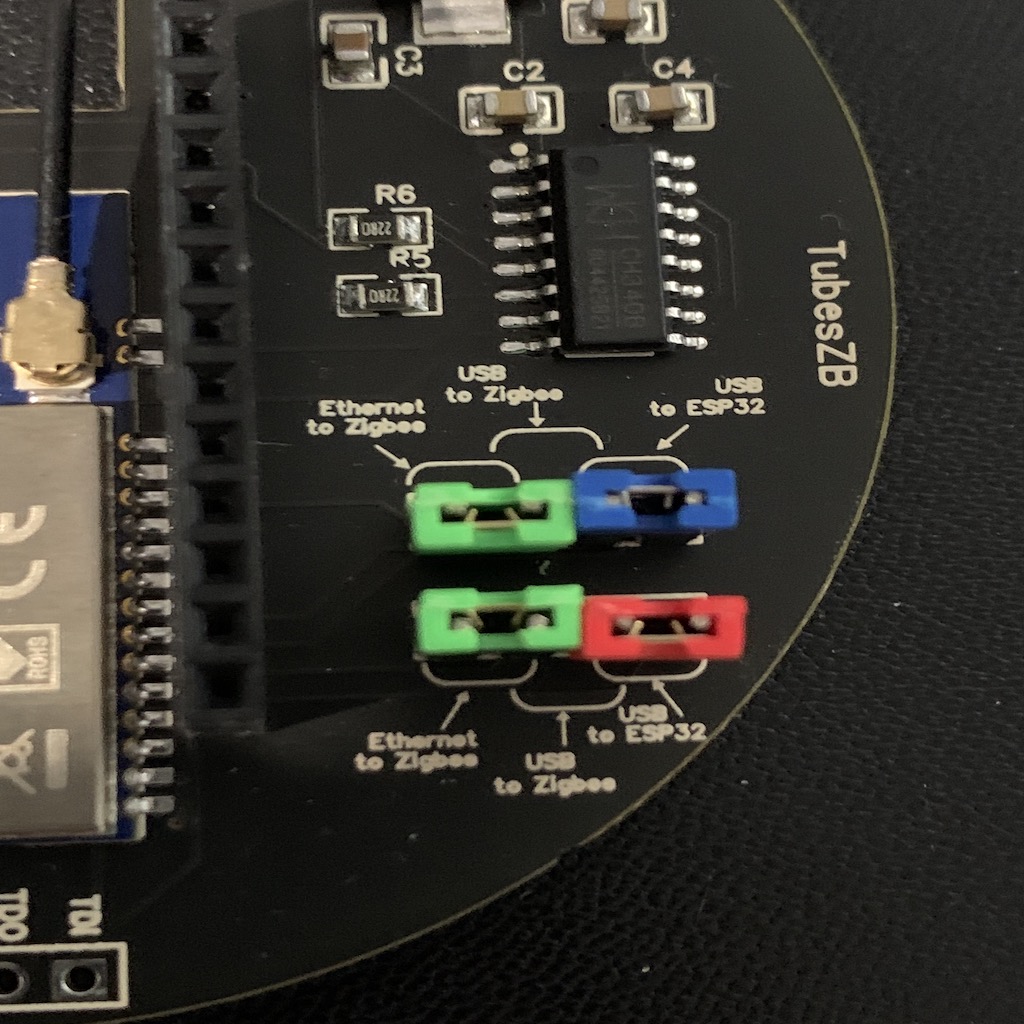
CC2652 Ethernet/USB Jumper Modes
These images apply to the CC2652 Ethernet/USB coordinator.
Zigbee over Ethernet (serial over TCP):
Zigbee over USB:
ESP32 flashing mode:
Zigbee over Ethernet with ESP32 debug over USB:
Legacy Models
Retired CC2652 coordinators and legacy instructions are kept in the legacy page.
See CC2652 Legacy Models.